
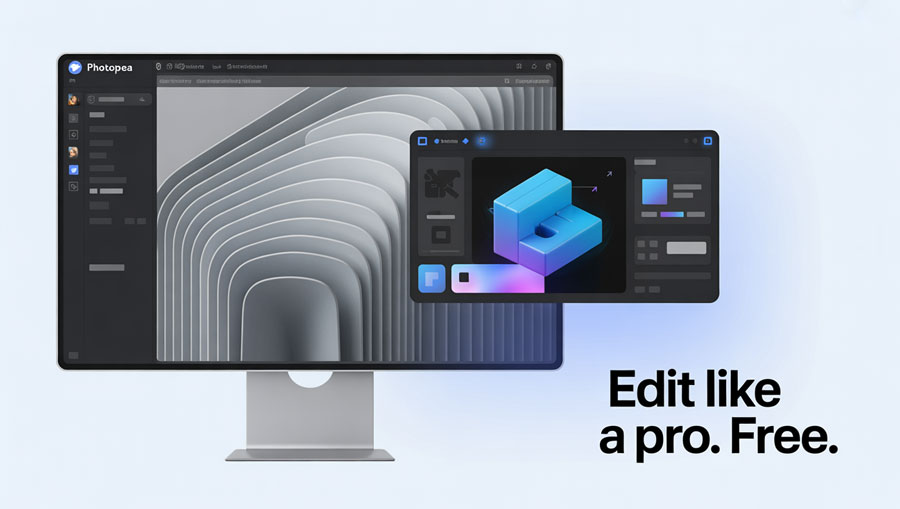
Photopea is one of the most advanced tools for editing photos online without the need to install software. Unlike traditional desktop applications, Photopea runs entirely in your web browser, offering a fast, convenient, and free solution for users who want to design or retouch images. Whether you are a beginner looking to make quick edits or a professional who needs a Photoshop alternative, Photopea has become a favorite choice worldwide.
Why Choose Photopea?
With countless online editing tools available, you may wonder why Photopea is so popular. Here are the reasons:
- Free to Use – All features are accessible without payment.
- Browser-Based – No downloads, works directly on Chrome, Firefox, Safari, or Edge.
- Wide File Support – Compatible with PSD, XCF, Sketch, XD, and CDR files in addition to JPEG and PNG.
- Professional Features – Offers layer editing, filters, and advanced adjustments similar to Photoshop.
- Cross-Platform Access – Works on Windows, macOS, Linux, and mobile devices.
What is Photopea?
Photopea is an online image editor created to mimic the functionality of Adobe Photoshop. It supports layered editing, advanced selection tools, filters, and vector graphics. Because it runs in a browser, there is no need for installation, making it accessible from almost any device with an internet connection.
This versatility allows students, designers, photographers, and casual users to edit photos quickly and efficiently. For many, Photopea is the best free alternative to Photoshop and GIMP, especially for users who want to avoid heavy software downloads.
Key Features of Photopea
- Layer Support – Work with multiple layers just like in Photoshop.
- Advanced Selection Tools – Magic wand, lasso, and quick selection.
- Image Adjustments – Brightness, contrast, hue, saturation, and curves.
- Filters and Effects – Blur, sharpen, distort, and artistic effects.
- Vector Tools – Pen tool and shape layers for graphic design.
- Export Options – Save in PSD, PNG, JPG, SVG, and more.
- Offline Mode – Once loaded in a browser, Photopea can even be used without internet access.
Best Uses of Photopea
Photopea is suitable for many purposes, making it versatile for different types of users:
- Quick Photo Touch-Ups – Cropping, resizing, and basic color corrections.
- Graphic Design – Creating banners, posters, and social media graphics.
- UI/UX Design – Editing Sketch or XD files directly in the browser.
- Educational Use – Perfect for students learning photo editing.
- Professional Projects – Retouching photos with layers and advanced filters.
Alternatives to Photopea
While Photopea is powerful, you might also consider these alternatives:
- Pixlr – Another browser-based photo editor with a simple interface.
- Canva – Great for templates and quick design projects.
- Fotor – Focused on one-click editing and effects.
- GIMP – Free desktop alternative to Photoshop.
- Adobe Photoshop – Industry standard, but requires subscription.
FAQs About Photopea
Is Photopea Free?
Yes. Photopea is completely free to use, though it also offers an ad-supported model.
Do I Need to Install Photopea?
No. Photopea runs directly in your browser without downloads or installation.
Can Photopea Open Photoshop Files?
Yes. It fully supports PSD files with layers, making it an excellent alternative to Photoshop.
Is Photopea Safe?
Yes. Photopea does not require sign-up or downloads, reducing security risks compared to other tools.
Can I Use Photopea on My Phone?
Yes. Photopea works on mobile browsers, though editing may be easier on larger screens.
Does Photopea Work Offline?
Yes. Once the website is loaded, you can continue working offline until you refresh or close the browser.
Conclusion
Photopea has redefined the way users approach photo editing online. By offering powerful, Photoshop-like features for free in a browser, it eliminates the need for expensive software or heavy installations. Its flexibility, broad file compatibility, and accessibility make it an ideal tool for students, casual users, and professionals alike.
For those looking to edit photos online quickly, easily, and at no cost, Photopea stands out as one of the best web-based editors available today.